AUTOMATION CASE STUDY: THE SEO AUDIT

SEO audits, from request to report. 

A qualifying booking starts a workflow that pulls live search data for a site and its competitors, turns the numbers into readable findings, builds a polished PDF, and emails the finished audit.

The problem

SEO audits take hours, and rarely get done. 

Doing this by hand means pulling traffic estimates, running page checks, gathering backlink and keyword data, repeating the same work for competitors, interpreting all of it, and then formatting a document worth sending. That is a half-day per site, which is exactly why most businesses never get an audit and most audits never get refreshed.

01

Pull traffic data

02

Run page checks

03

Gather backlinks

04

Collect keywords

05

Repeat for competitors

06

Interpret the numbers

07

Format the document

08

Send it out

Before

Every audit had to be assembled by hand, one API tab at a time.

New question

What if one qualified request produced a finished, delivered audit without a half-day of manual assembly?

The solution

Turn search data into a usable audit. 

A qualified booking starts the run, DataForSEO supplies the numbers, AI turns the data into business-readable findings, Google Docs formats the report, and Gmail handles delivery. The result is an audit a business owner can read, not a pile of exported SEO data.

Watch the Loom walkthrough
01

Calendly

Starts the run when the right event type is booked.

02

Make.com

Orchestrates the chain, filters, routers, and retry handlers.

03

DataForSEO

Supplies live traffic, page, backlink, and keyword data.

04

AI assistants

Turn raw API output into an overall summary and readability read.

05

Google Docs + Drive

Builds the audit document from a template, creates the run folder, and stores the exported PDF.

06

Gmail

Sends the finished audit to the recipient.

Scroll story

Move through the audit. 

Each chapter advances the real workflow while the proof panel changes beside it: trigger and setup, site data, competitor comparison, AI findings, document assembly, and delivery.

Vertical story view

Chapter 01

A qualifying booking triggers the audit

Hybrid

The right calendar event starts the run.

What happens

Calendly watches for new events and a filter checks the event type, so only the booking meant to receive an audit continues into the scenario.

Why it matters

The audit begins from a real business action instead of a separate manual kickoff. The same pattern could also start from an assessment or lead form.

Behind the scenes

Calendly Watch Events -> event type filter -> continue or stop.

Decision logic

Right event type? Continue into the audit. Anything else? The run stops there.

Data moving through this chapter

Event payloadEvent typeRecipient emailTarget domain
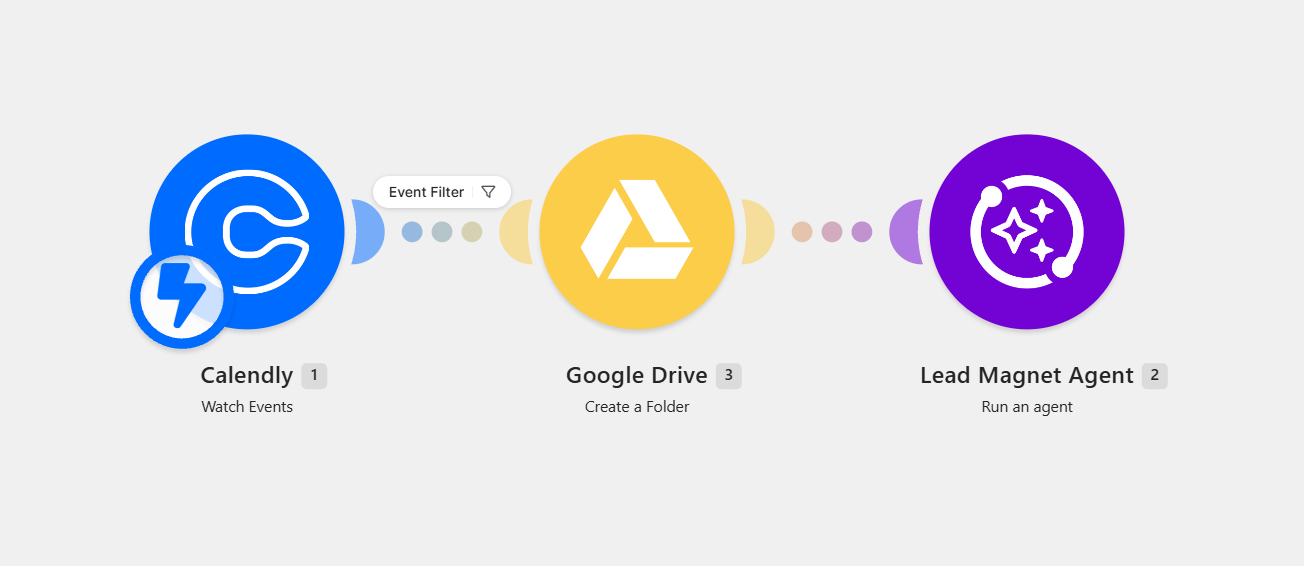
Make.com modules: Calendly Watch Events with an event filter, Google Drive Create a Folder, and Lead Magnet Agent Run an agent.

Trigger and setup

Calendly watch events -> event filter -> Drive folder -> audit agent run.

Chapter 02

The run gets its own workspace

Automation

A Drive folder and the audit agent are created.

What happens

Google Drive creates a folder for this specific run and the audit agent is launched with the booking details attached.

Why it matters

Every audit has a clean home for its document and PDF, so nothing overwrites a previous run or gets lost between clients.

Behind the scenes

Google Drive Create a Folder -> Lead Magnet Agent Run an agent.

Data moving through this chapter

Run folderFolder IDAgent inputSite under review
Make.com modules: Calendly Watch Events with an event filter, Google Drive Create a Folder, and Lead Magnet Agent Run an agent.

Trigger and setup

Calendly watch events -> event filter -> Drive folder -> audit agent run.

Chapter 03

Site search data is collected

Automation

Traffic and on-page data come in first.

What happens

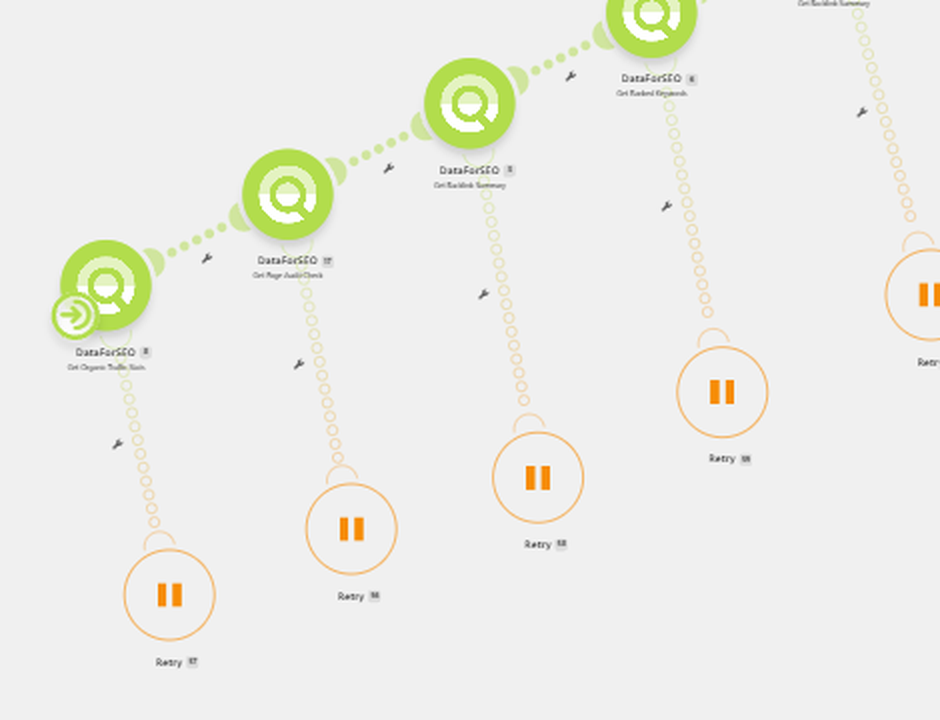
DataForSEO calls pull organic traffic estimates and page audit checks for the site being reviewed.

Why it matters

The audit starts from live, third-party data rather than a subjective opinion about how the site is performing.

Behind the scenes

DataForSEO Get Organic Traffic Stats -> Get Page Audit Check.

Data moving through this chapter

Organic trafficPage checksAPI responseRetry path
Zoomed view of the Make.com scenario showing four DataForSEO modules with retry handlers beneath them.

Site search data

DataForSEO pulls organic traffic, page audit checks, backlink summaries, and ranked keywords, each with a retry path.

Chapter 04

Backlinks and ranked keywords

Automation

Authority and visibility get measured.

What happens

The scenario requests a backlink summary and the list of keywords the site already ranks for.

Why it matters

Traffic on its own is not a diagnosis. Backlinks and ranked keywords explain why the traffic looks the way it does.

Behind the scenes

Get Backlink Summary -> Get Ranked Keywords.

Data moving through this chapter

Backlink summaryReferring domainsRanked keywordsRetry path
Zoomed view of the Make.com scenario showing four DataForSEO modules with retry handlers beneath them.

Site search data

DataForSEO pulls organic traffic, page audit checks, backlink summaries, and ranked keywords, each with a retry path.

Chapter 05

Competitors are pulled in

Automation

The same data runs against rivals.

What happens

The backlink and ranked-keyword requests are repeated for competitors so the numbers can be read side by side.

Why it matters

A metric only means something in context. Comparison turns a list of stats into a position in the market.

Behind the scenes

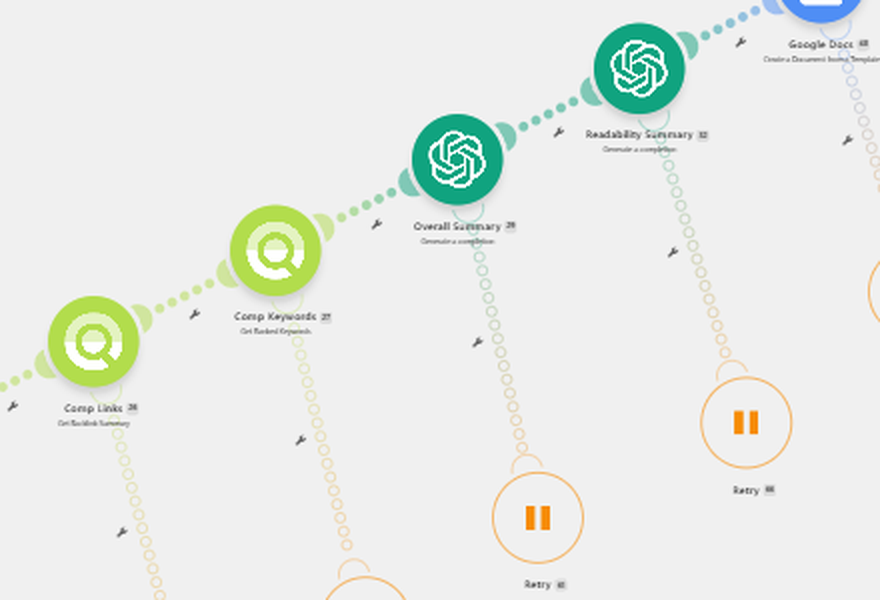
Comp Links (Get Backlink Summary) -> Comp Keywords (Get Ranked Keywords).

Data moving through this chapter

Competitor backlinksCompetitor keywordsGap listComparison set
Zoomed view of the Make.com scenario showing Comp Links, Comp Keywords, Overall Summary, and Readability Summary modules.

Competitors and AI findings

Competitor backlink and ranked-keyword calls feed the overall summary and readability summary AI modules.

Chapter 06

AI turns data into findings

Automation

The numbers become plain language.

What happens

Two AI steps run: an overall summary of what the data means, and a readability summary of how the site actually reads.

Why it matters

API output is not an audit. The value is the interpretation a business owner can act on without knowing what a referring domain is.

Behind the scenes

Overall Summary (completion) -> Readability Summary (completion).

Data moving through this chapter

Overall summaryReadability readFindings textRecommendations
Zoomed view of the Make.com scenario showing Comp Links, Comp Keywords, Overall Summary, and Readability Summary modules.

Competitors and AI findings

Competitor backlink and ranked-keyword calls feed the overall summary and readability summary AI modules.

Chapter 07

The document is assembled

Automation

A template becomes a finished PDF.

What happens

Google Docs creates the audit from a template with the data and summaries dropped in, the document is downloaded as a PDF, and Drive stores it in the run folder.

Why it matters

The output is a document worth sending, not a spreadsheet of raw values that still needs formatting.

Behind the scenes

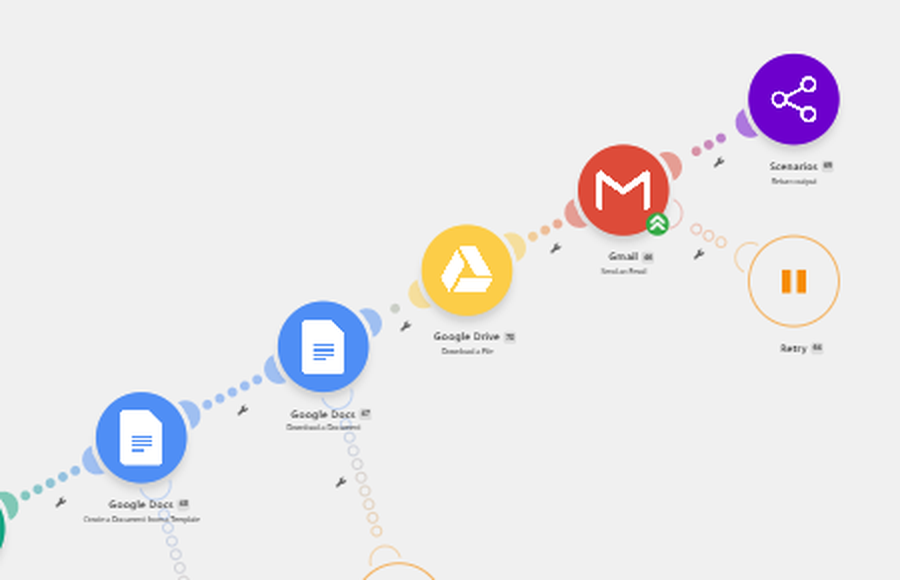
Google Docs Create from Template -> Docs Download a Document -> Drive Download a File.

Data moving through this chapter

Populated docPDF exportStored fileShare link
Zoomed view of the Make.com scenario showing Google Docs, Google Drive, Gmail, and return output modules.

Document build and delivery

Google Docs builds the audit from a template, Drive downloads the PDF, and Gmail sends it before the scenario returns its output.

Chapter 08

The audit is delivered

Automation

It lands in an inbox, not a folder.

What happens

Gmail sends the finished audit to the recipient and the scenario returns its output. Retry handlers sit on every API, AI, and document module so a single failed call does not kill the run.

Why it matters

A generated audit that never gets sent is not a deliverable. Ending on delivery removes the last manual handoff.

Behind the scenes

Gmail Send an Email -> Scenarios Return output, with retries throughout.

Decision logic

Module failed? The retry path runs it again. Still failing? The run reports out instead of silently ending.

Data moving through this chapter

Sent emailAttached PDFRun outputRetry log
Zoomed view of the Make.com scenario showing Google Docs, Google Drive, Gmail, and return output modules.

Document build and delivery

Google Docs builds the audit from a template, Drive downloads the PDF, and Gmail sends it before the scenario returns its output.

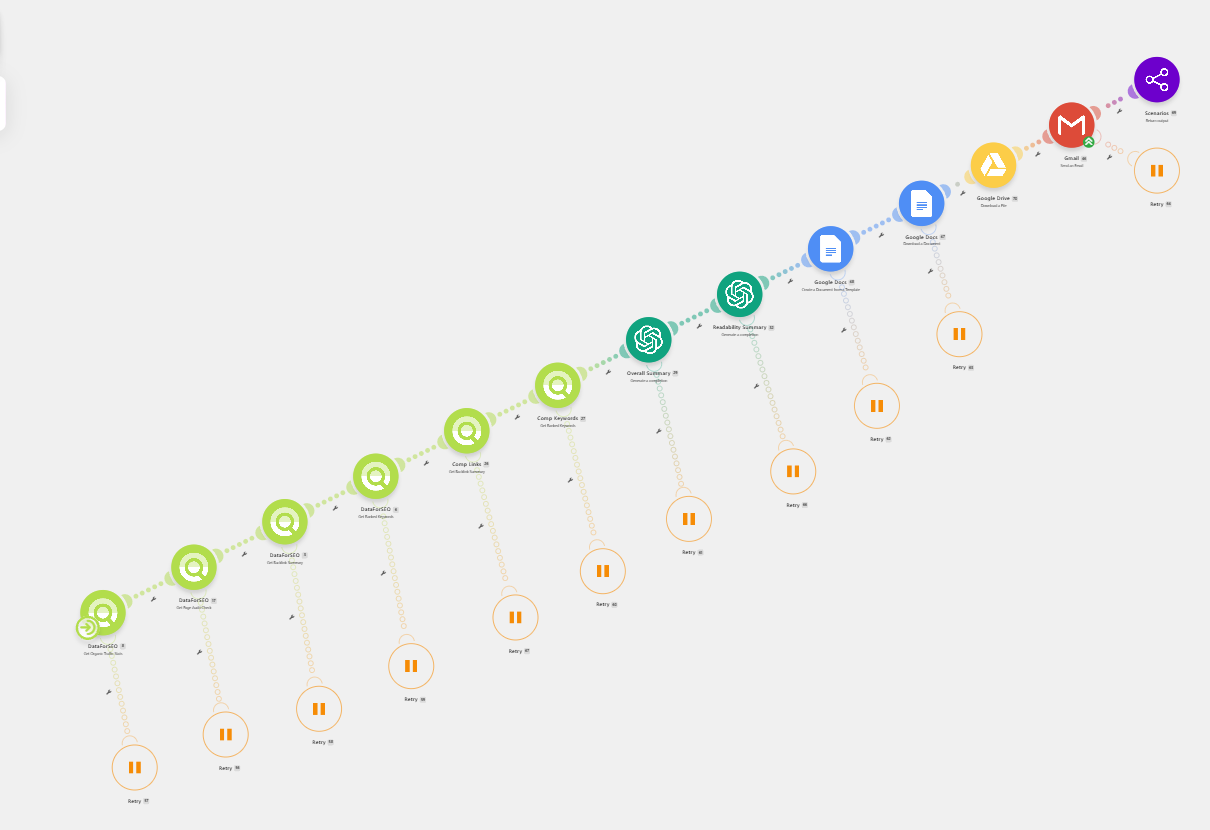
Make.com scenario with a chain of DataForSEO modules, two AI summary modules, Google Docs, Google Drive, Gmail, and retry handlers.

The full audit scenario

The complete chain end to end: data collection, competitor comparison, AI summaries, document assembly, and delivery, with retries on every module.

System logic

Not just if-this, then-that. 

The value is in the decisions between steps: which bookings qualify, what happens when an API call fails, and how thin data is handled before it reaches the document.

Is this the right event type?

Yes

Create the run folder and start the audit agent.

No

Ignore the booking so unrelated meetings never trigger a run.

Did the API or AI call succeed?

Yes

Pass the result to the next module in the chain.

No

Run the retry handler attached to that module instead of failing the run.

Is the document complete?

Yes

Export the PDF, store it in Drive, and email it to the recipient.

No

Return the scenario output so the gap is visible rather than silent.

Automated actions

  • Trigger and run setup
  • Traffic and page data
  • Backlink and keyword pulls
  • Competitor comparison
  • AI findings and readability
  • Document build and PDF export
  • Email delivery

Human actions

  • Book the call that starts the audit
  • Confirm the site and competitors
  • Read the findings
  • Decide which fixes matter first
  • Turn the audit into a plan
Business impact

One audit engine, three uses. 

This audit was built to do real work in three places at once: earn attention as a lead magnet, give clients a clear SEO health check, and support deeper website assessments with current search data.

Lead magnet

Offered as something genuinely useful: a real report on the recipient's own site rather than a generic PDF.

Client health check

Run on clients to see where their SEO actually stands before strategy work starts, and to re-check it later.

Assessment support

Used alongside the assessment process so a submitted business can have search data attached to the rest of its snapshot.

Hours

Of research time removed

Data collection, competitor comparison, interpretation, and formatting all happen inside a single run instead of a half-day of manual work.

Reusable

Built for public websites

The same system can run across local and service businesses with a public site, which is why it can support lead magnets, client checks, and site assessments.

Live

Current public search data

Every audit pulls the most up-to-date public data available at run time, so a re-run is a genuine refresh rather than a reprint.

The result

A useful SEO audit, delivered without the half-day.

Data collection, competitor comparison, interpretation, formatting, and delivery now move through one connected workflow. The system gathers and packages the evidence; a person decides what to do with the findings.