AUTOMATION CASE STUDY: RECONCILIATION

Reconciliation, without EXTRA  hires. 

A multi-million-dollar company was preparing to add two employees just to keep up with invoice and payment matching. One custom workflow now reads the records, compares both sides, flags exceptions, and produces a reconciliation the existing team can review.

The problem

The workload was growing into payroll. 

Invoices and payments lived in separate systems and were not formatted the same way. Reconciling them meant opening records, reading the invoice number and payment details by hand, comparing the two sides, and repeating that for every item on every cycle. Volume kept climbing, and the answer on the table was to hire two more people to do it.

01

Export both systems

02

Open each record

03

Read the invoice number

04

Find the payment

05

Compare the amounts

06

Log the exceptions

07

Rebuild the report

08

Repeat next cycle

Before

More volume meant more hands, and two more salaries were already budgeted.

New question

What if the matching happened before anyone opened the file, and the team only had to review the exceptions?

The solution

Turn reconciliation into exception review. 

Rather than a generic template, this was designed around the company's actual records and review process. Make.com orchestrates the run, AI handles the fields that inconsistent formatting makes hard to read, matching logic separates clean matches from exceptions, and retry paths protect the long run from failing halfway through.

Watch the Loom walkthrough
01

Make.com

Orchestrates the run, the branches, the loops, and the error paths.

02

Google Sheets

Holds the accounting and payment records and receives the results.

03

Google Drive

Stores the source files and the finished reconciliation documents.

04

AI extraction & matching

Reads inconsistently formatted records, pulls the fields that matter, then compares each invoice against its payment and sorts the exceptions out.

05

Retry handlers

Re-run any failed API or AI call so a long run never dies halfway.

06

Reconciliation output

Assembles the reviewable document the finance team actually opens.

Scroll story

Move through the reconciliation. 

One continuous run, chapter by chapter, with the proof panel changing beside it: record intake, normalization, AI extraction, matching, retry handling, write-back, and the assembled reconciliation.

Vertical story view

Chapter 01

Records are pulled from the source systems

Automation

The run reads both sides of the ledger.

What happens

The scenario starts by reading the accounting records and the payment records it needs from the connected spreadsheets and drive files, then routes them into the matching branches.

Why it matters

Nobody has to open two systems and export anything. The run begins with the same data a person would have gone looking for.

Behind the scenes

Sheet and Drive reads -> router -> parallel reconciliation branches.

Data moving through this chapter

Accounting recordsPayment recordsSource filesBranch routing
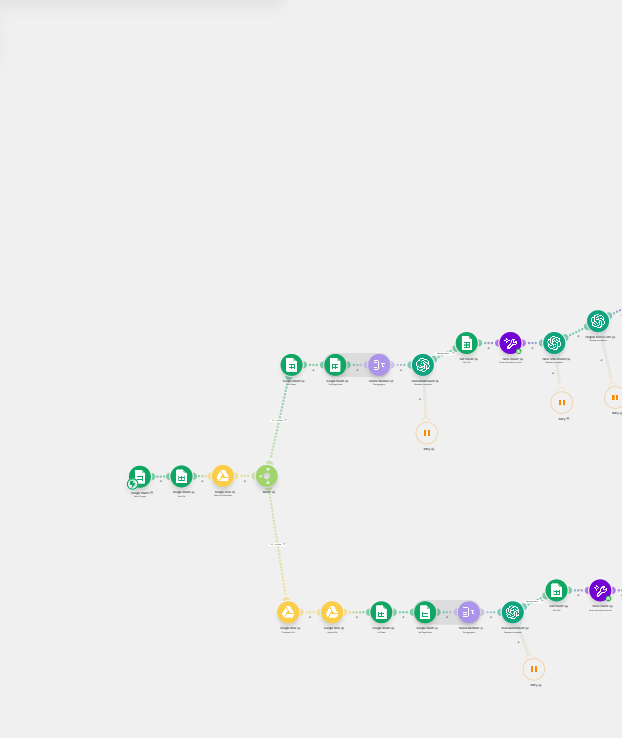
Zoomed view of the left portion of a Make.com reconciliation scenario showing source modules feeding parallel branches.

Records enter the scenario

The left side of the build: source records are read from the connected sheets and drive files, then routed into the reconciliation branches.

Chapter 02

Data is aggregated into a comparable format

Automation

Two formats become one shape.

What happens

Text aggregation and parsing modules normalize the records so invoice numbers, payments, and totals can actually be compared against one another.

Why it matters

The two systems were never designed to agree. Normalizing first is what makes an automatic comparison possible at all.

Behind the scenes

Iterator -> text aggregator -> parse -> normalized record set.

Data moving through this chapter

Normalized rowsInvoice numbersAmountsRecord batch
Zoomed view of the middle of the Make.com scenario showing parsing, aggregation, and sheet modules in sequence.

Parsing and aggregation

The middle of the run: repeating cycles of parsing, text aggregation, and sheet lookups that normalize records into a comparable format.

Chapter 03

AI reads the records that are not consistent

Automation

The unreadable fields get read.

What happens

AI steps pull the invoice number and payment details out of records that are not consistently formatted, which is the part that normally forces a person to open each document.

Why it matters

This is the actual bottleneck. Rules alone break on messy records, and that breakage is exactly what used to require more staff.

Behind the scenes

Aggregated text -> invoice extraction completion -> payment extraction completion.

Data moving through this chapter

Invoice numberPayment referenceAmountExtraction result
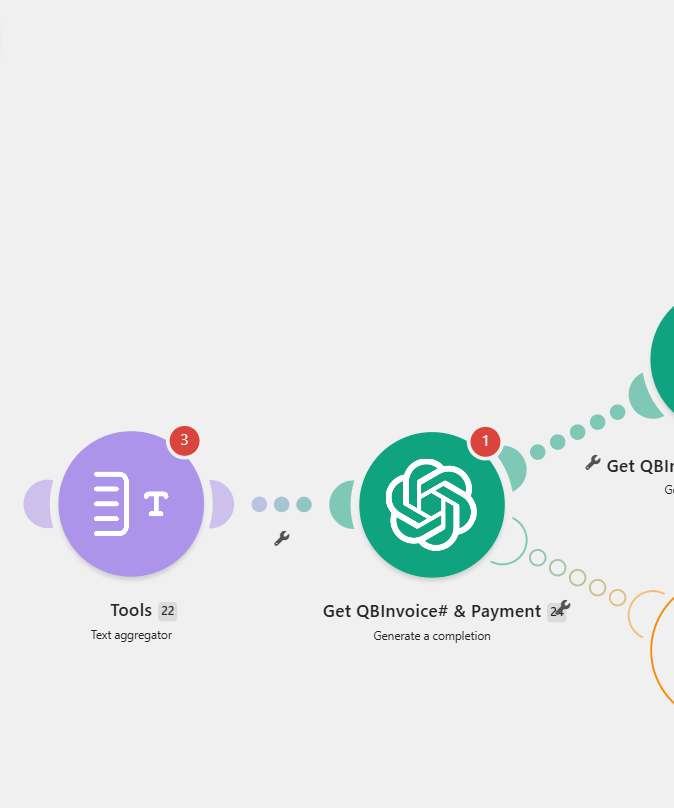
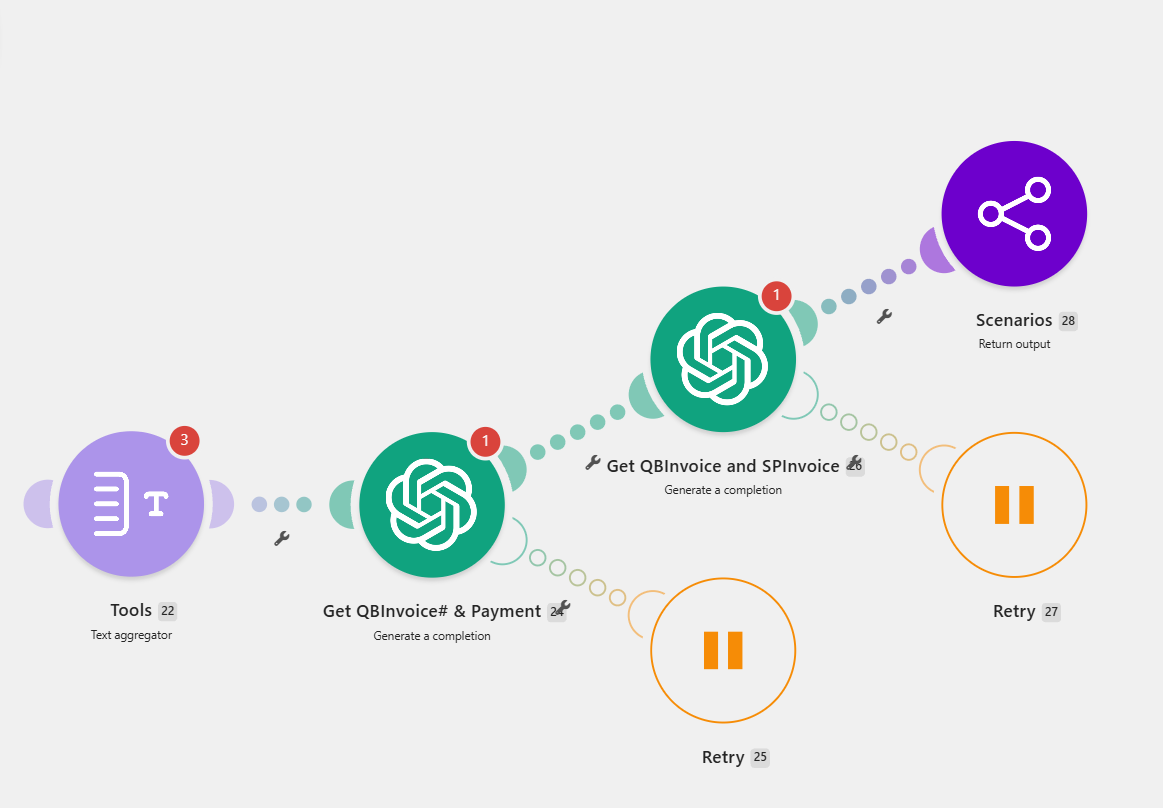
Close-up of Make.com modules showing a text aggregator feeding two AI completion steps for invoice and payment extraction.

AI extraction and matching

Aggregated record text feeds AI steps that pull the invoice number and payment details, then the accounting invoice is compared against the payment-system invoice.

Chapter 04

Invoices and payments are matched

Automation

Each side is compared, item by item.

What happens

Each accounting invoice is compared against the corresponding payment-system record so matched, unmatched, and questionable items are separated automatically.

Why it matters

Line-by-line comparison is the slowest and most error-prone part of reconciliation. The system handles the repetitive matching so the team can focus on the exceptions.

Behind the scenes

Compare accounting invoice vs payment invoice -> classify matched / unmatched.

Decision logic

Do the two sides agree? The item is marked matched. Do they not? It is flagged as an exception for review instead of being buried.

Data moving through this chapter

Matched itemsUnmatched itemsExceptionsComparison log
Close-up of Make.com modules showing a text aggregator feeding two AI completion steps for invoice and payment extraction.

AI extraction and matching

Aggregated record text feeds AI steps that pull the invoice number and payment details, then the accounting invoice is compared against the payment-system invoice.

Chapter 05

Retries protect every fragile step

Automation

One timeout does not kill the run.

What happens

Retry handlers sit under the API and AI modules so a single timeout or rate limit does not break the run or leave a partial reconciliation behind.

Why it matters

A reconciliation that fails at item 400 of 500 is worse than no reconciliation. Retry logic is what makes the output trustworthy.

Behind the scenes

Error handler -> retry the failed module -> resume the branch.

Decision logic

Did the call fail? The retry path runs it again. Still failing? The run reports the gap rather than ending silently.

Data moving through this chapter

Retry attemptError pathResumed branchRun integrity
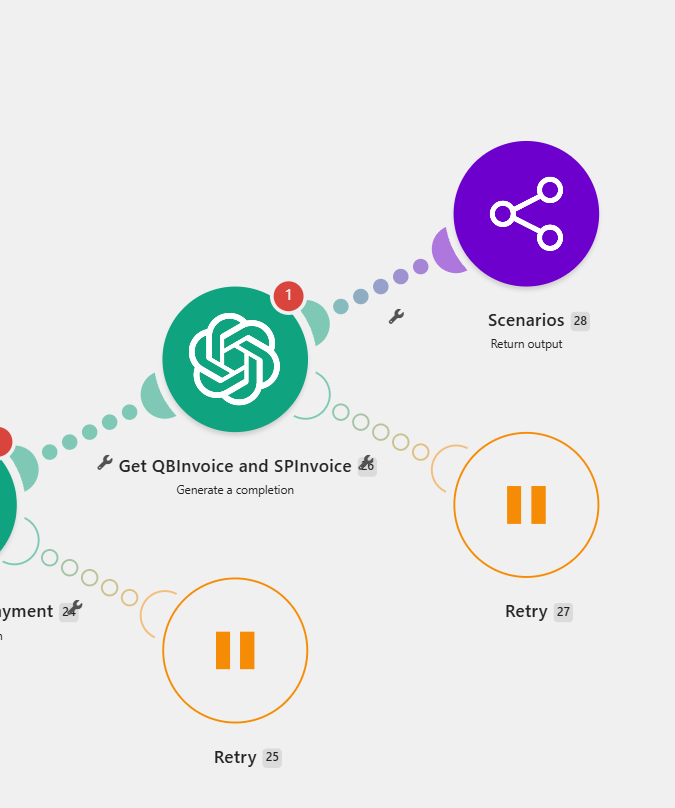
Close-up of Make.com retry handler modules attached beneath AI completion steps, ending in a return-output module.

Retry handlers under every call

Each AI and API module carries its own retry path, so a timeout or rate limit re-runs that step instead of killing a long reconciliation run.

Chapter 06

Results are written back

Automation

The ledger gets the answers.

What happens

Matched items, unmatched items, and exceptions flow back into the sheets at the end of each branch, with the supporting files kept in Drive.

Why it matters

The result lands where the finance team already works, so nothing has to be re-keyed into the system of record.

Behind the scenes

Branch output -> sheet writes -> Drive file storage.

Data moving through this chapter

Updated sheetException listStored filesRun record
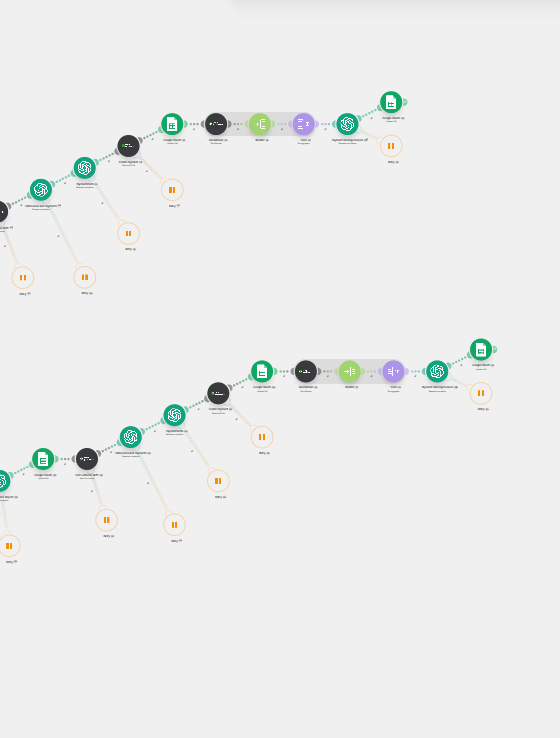
Zoomed view of the right portion of the Make.com scenario showing sheet writes, document generation, and return-output modules.

Output written back

The right side of the build: results are written into sheets and assembled into reconciliation documents before the scenario returns its output.

Chapter 07

The reconciliation document is assembled

Automation

A report, not a pile of rows.

What happens

The scenario produces the reconciliation documents at the end of the run, with the matched set and the exceptions already organized.

Why it matters

The finance task becomes reviewing an assembled reconciliation instead of building one from scratch every cycle.

Behind the scenes

Document generation -> store output -> Scenarios Return output.

Data moving through this chapter

Reconciliation docSummary totalsException sectionRun output
Zoomed view of the right portion of the Make.com scenario showing sheet writes, document generation, and return-output modules.

Output written back

The right side of the build: results are written into sheets and assembled into reconciliation documents before the scenario returns its output.

Chapter 08

A person reviews the exceptions

Human checkpoint

Judgment goes where judgment is needed.

What happens

The team opens the finished reconciliation, checks the exceptions the system flagged, and resolves the handful of items that genuinely need a decision.

Why it matters

The work that remains is the work worth paying a person for. Everything mechanical happened before they opened the file.

Behind the scenes

Reviewer opens the generated reconciliation -> resolves flagged exceptions.

Data moving through this chapter

Flagged itemsHuman decisionResolved cycleSign-off
Zoomed view of the right portion of the Make.com scenario showing sheet writes, document generation, and return-output modules.

Output written back

The right side of the build: results are written into sheets and assembled into reconciliation documents before the scenario returns its output.

The whole build, zoomed out

Make.com modules showing text aggregator, two AI completion steps for invoice and payment extraction, retry handlers, and a return-output module.

The matching stage, in full

The complete invoice and payment matching branch: aggregation, AI extraction of the invoice number and payment, comparison of both systems, retry handlers on every fragile call, and the return of the branch output to the parent scenario.

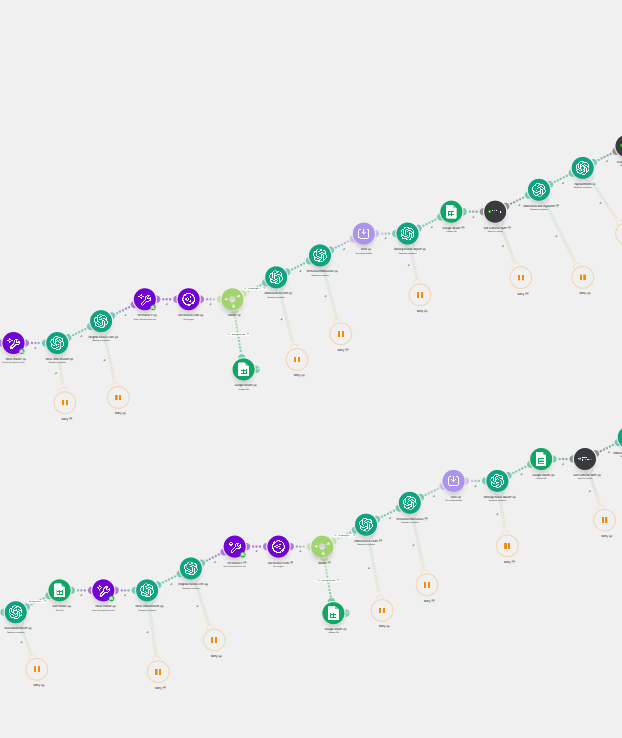
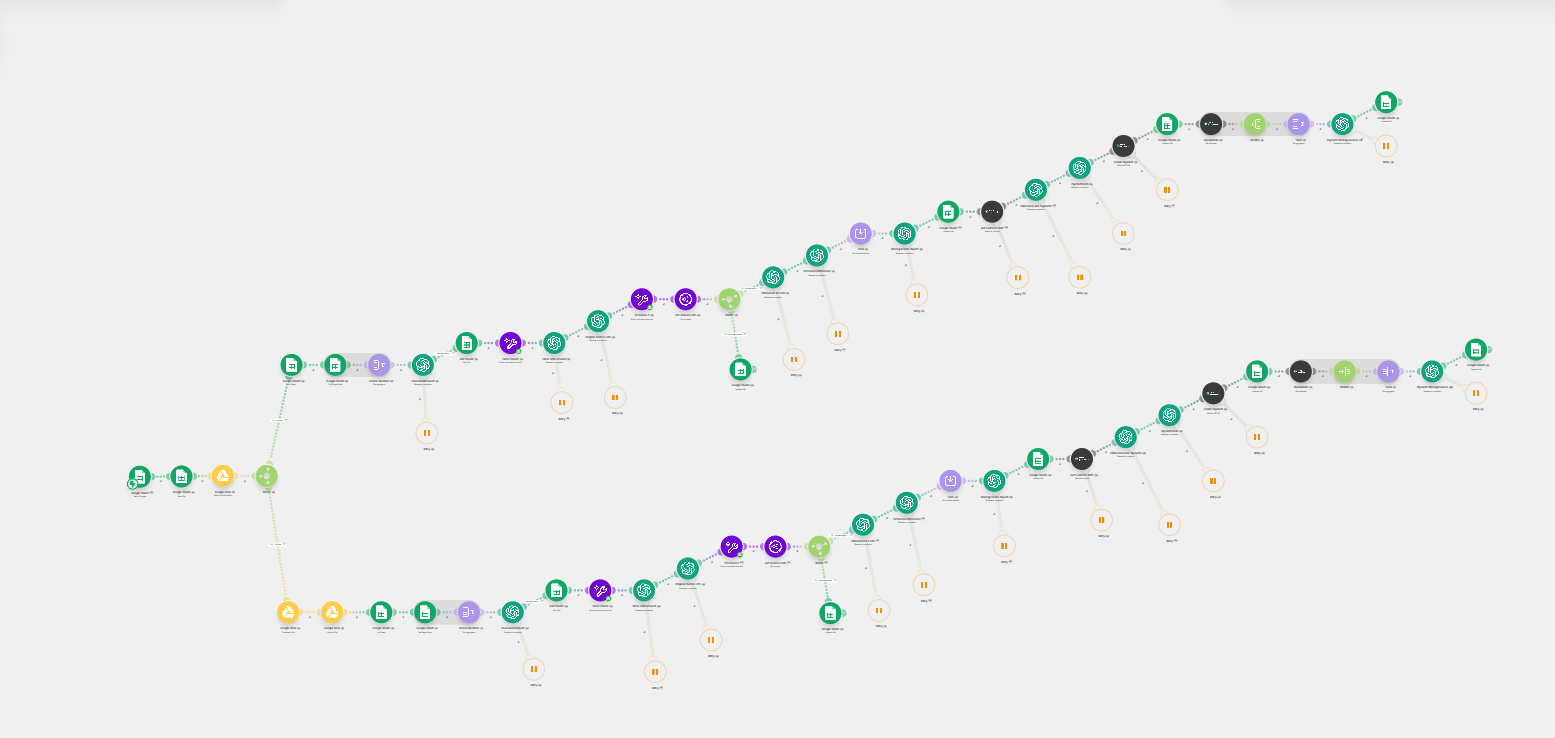
Zoomed-out view of a large Make.com scenario with two long parallel branches of parsing, AI, sheet, and retry modules ending in generated reports.

The full reconciliation scenario

The entire build end to end. Source records enter on the left, split into parallel reconciliation branches, and run through repeating cycles of parsing, AI extraction, comparison, retry handling, and report writing before the final documents are produced.

System logic

Not just if-this, then-that. 

The value is in the decisions between steps: what counts as a match, what happens when a record cannot be read, and how a failed call is recovered before it takes the whole reconciliation with it.

Can the record be read cleanly?

Yes

Parse it directly and pass it into the comparison.

No

Send it to the AI extraction step so a person does not have to open it.

Do the invoice and payment agree?

Yes

Mark the item matched and move to the next record.

No

Flag it as an exception so it surfaces in the review section.

Did the API or AI call succeed?

Yes

Pass the result into the next module in the branch.

No

Run the retry handler attached to that module instead of failing the run.

Automated actions

  • Reading both source systems
  • Normalizing record formats
  • AI extraction of invoice and payment fields
  • Line-by-line matching
  • Exception classification
  • Retry handling on every call
  • Write-back and document assembly

Human actions

  • Open the finished reconciliation
  • Review the flagged exceptions
  • Resolve the items that need judgment
  • Approve the cycle
Business impact

Two hires, never needed. 

This business was preparing to hire two additional employees to keep up with reconciliation. The automation let the existing team handle all of the work instead, so the company got the capacity without the payroll.

Capacity without headcount

The workload that justified two new hires now moves through the automation, so growth in volume no longer means growth in payroll.

Consistent handling

Every record passes through the same extraction, comparison, and retry logic, so reconciliation does not depend on who is doing it that week.

Reviewable output

The run ends with assembled reconciliation documents, which turns the finance task into a review step rather than a build-from-scratch step.

2

Planned hires avoided

The company was preparing to bring on two additional employees to keep up with reconciliation volume. After the build, those roles were never needed.

$10,000'S

TENS OF THOUSANDS SAVED IN PAYROLL

The cost of the workload was absorbed by a system instead of by two more salaries, benefits, and onboarding cycles.

Review

Instead of manual matching

The existing team now reviews organized matches and exceptions, because the mechanical comparison happens before anyone opens the file.

The result

Reconciliation became a review process, not a staffing problem.

Back-office work is expensive when every cycle starts from scratch. This workflow moves the repetitive matching into a connected system, then leaves the finance team with the exceptions that actually need judgment.